
Blocking countries is one of the core features of BlockX Country Blocker. Follow the steps below to restrict visitors from specific countries from accessing your Shopify store.
Step 1: Open Block Settings
From the BlockX Fraud & Country Blocker dashboard, navigate to Block Settings and click Manage Countries under Block Country.
What you'll see:
- Manage Countries – Opens the country management page.
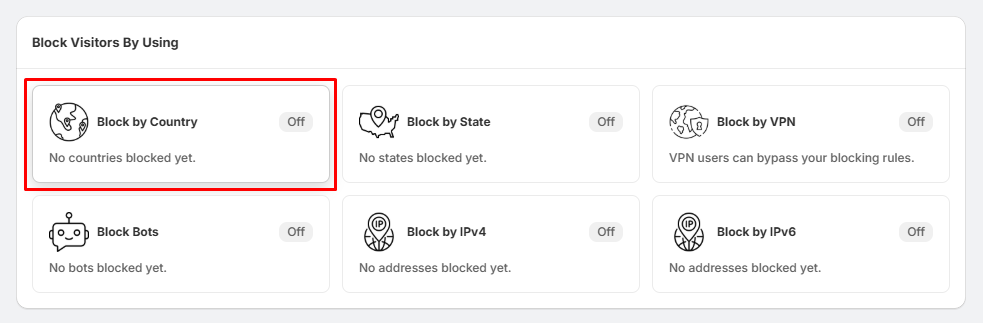
Step 2: Open the Country Management Page
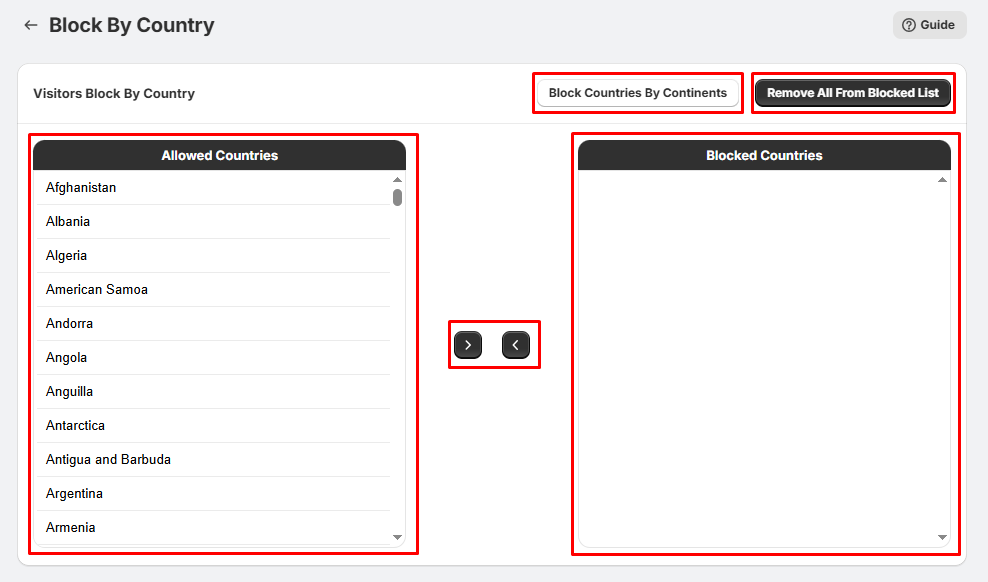
After clicking Manage Countries, you'll see two lists:
Allowed Countries
- Contains all countries that currently have access to your store.
Blocked Countries
- Contains countries that will be denied access.
Between the two lists are arrow buttons used to move countries from one list to the other.
You can also use:
- Block Countries By Continents – Quickly block an entire continent.
- Remove All From Blocked List – Clears your blocked countries list.
Note: Visitors from blocked countries will no longer be able to access your store based on your selected block action.
Step 3: Block Individual Countries
To block one or more countries:
- Select a country from the Allowed Countries list.
- Click the ➡ (right arrow) button.
- The selected country will move to the Blocked Countries list.
- Repeat for any additional countries.
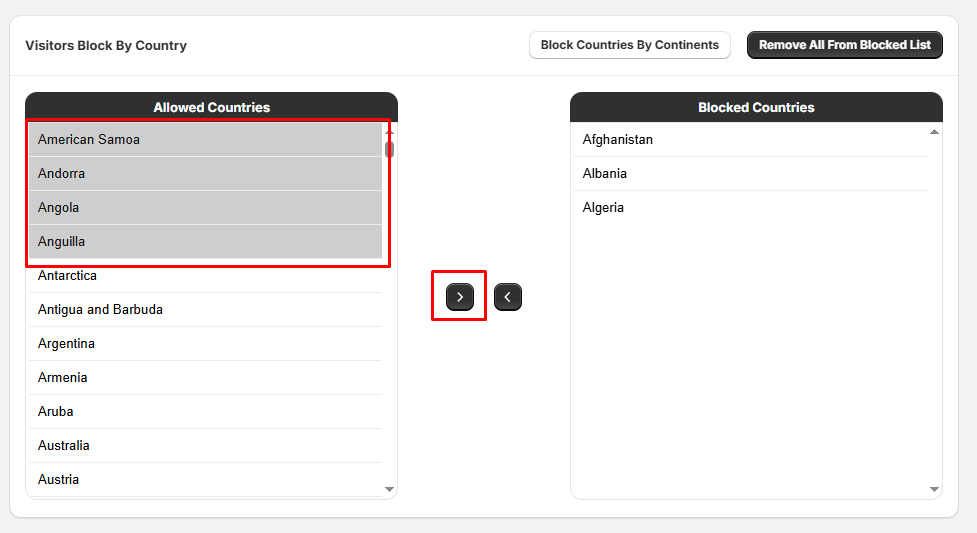
Your changes will be applied after saving.
Step 4: Block an Entire Continent (Optional)
Instead of selecting countries one by one:
1. Click Block Countries By Continents.
2. A popup window will appear.
3. Select one or more continents, such as:
- Asia
- Europe
- Africa
- North America
- South America
- Australia
- Antarctica
- All Countries
4. Click Insert Countries In Blocked List.
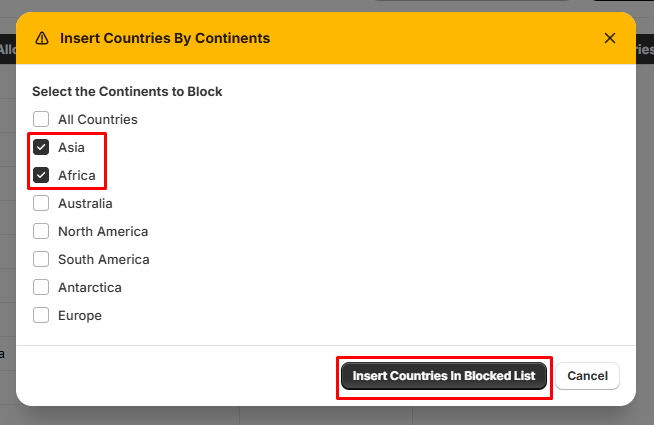
All countries from the selected continent(s) will be added to the blocked list.
Important Notice About Analytics
At the top of the page you'll see an information banner:

This behavior is expected and does not mean the app failed to block the visitor.
Done!
- Once the countries appear in the Blocked Countries list, visitors from those countries will be restricted from accessing your store according to your app settings.
Tips:
- You can block individual countries or entire continents.
- Select multiple countries at once using Ctrl (Windows) or Cmd (Mac).
- Test your blocking rules using a VPN or a location testing tool to verify they are working correctly.
- For stronger protection, enable VPN Blocking to help prevent visitors from bypassing your country restrictions using VPN or proxy services.
- This is expected behavior. We recommend ignoring these analytics records for blocked visitors.