
To allow customers and consultants to access the Consultly pages from your Shopify storefront, follow the steps below.
Step 1: Open the Navigation Menu
- Log in to your Shopify Admin.
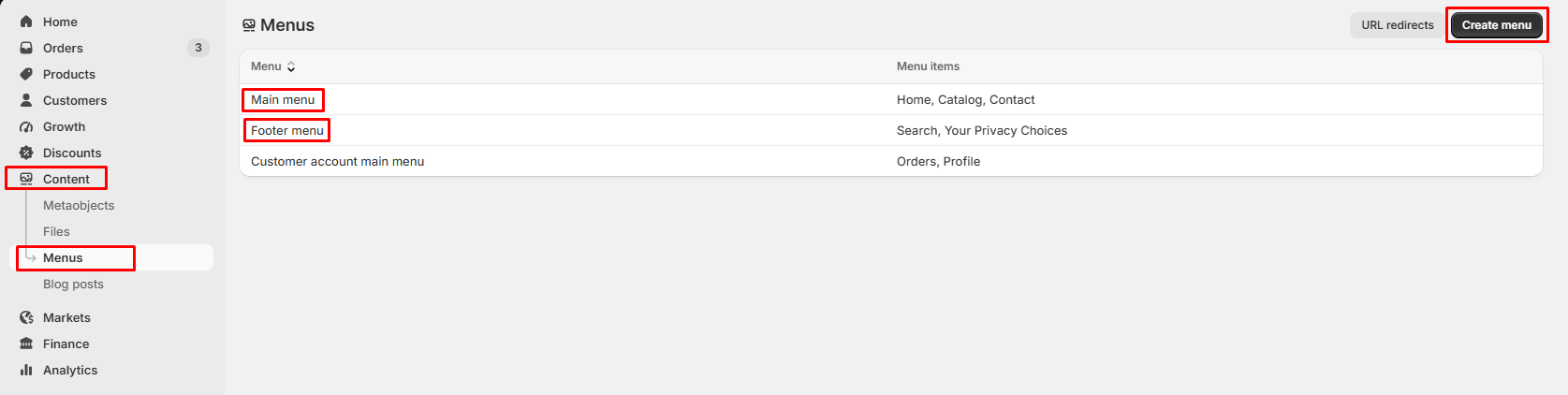
- From the left sidebar, navigate to Content → Menus.
- Click Create menu or open an existing menu such as Main Menu or Footer Menu.
Step 2: Add a Menu Item
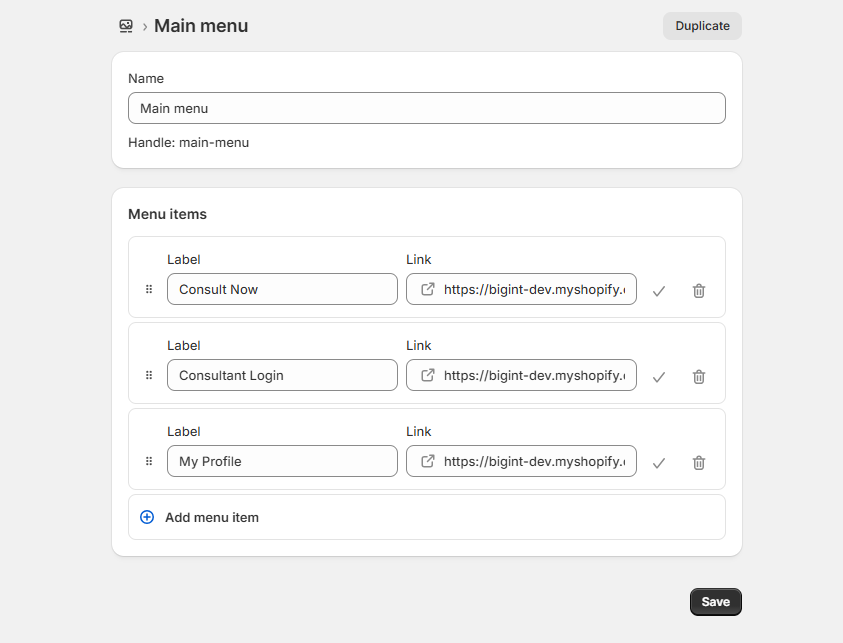
I. Click Add menu item.
II. Enter a menu name, for example:
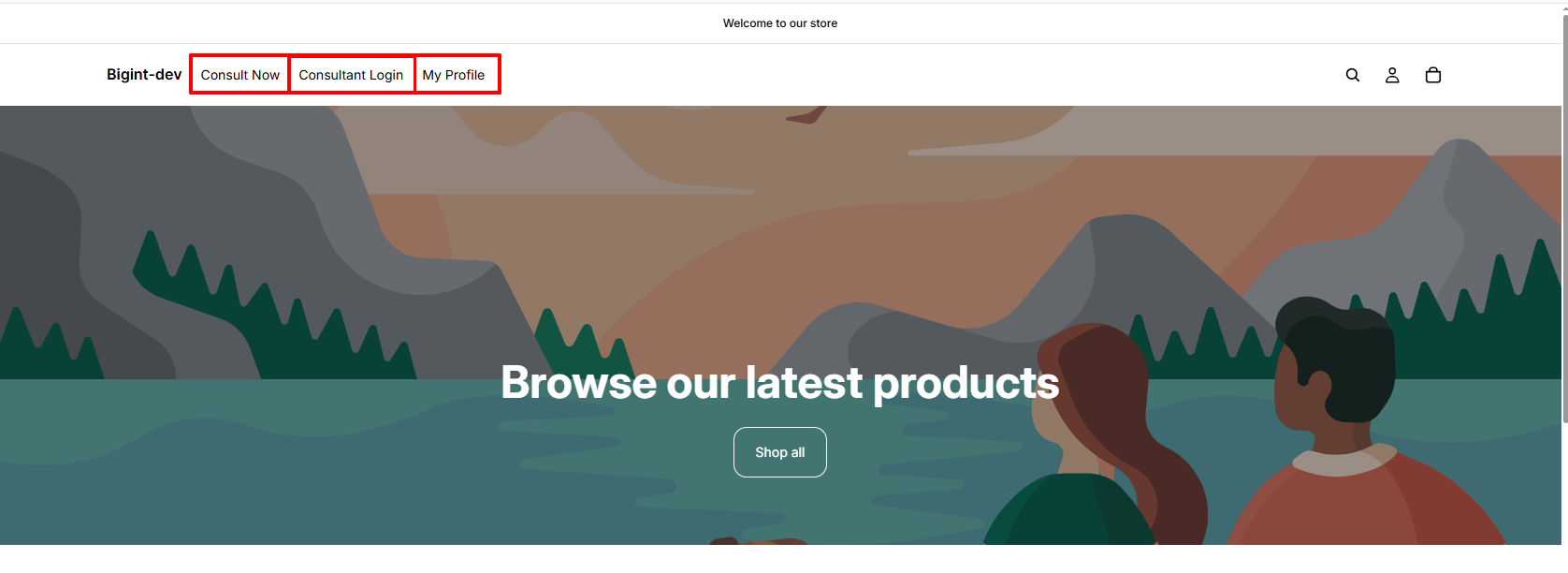
- Consult Now
- Consultant Login
- My Profile
III. In the Link field, paste the appropriate URL.
Menu Name | Destination
------------------------------------------------------------------------------------------------
Consult Now | https://bigint-dev.myshopify.com/apps/consultly
------------------------------------------------------------------------------------------------
Consultant Login | https://bigint-dev.myshopify.com/apps/consultly/login
------------------------------------------------------------------------------------------------
My Profile | https://bigint-dev.myshopify.com/apps/consultly/profile
------------------------------------------------------------------------------------------------
IV. Click Add.
Step 3: Save the Menu
I. After adding the required menu items, click Save to update your navigation menu.
II. Repeat the same steps if you want to add additional links such as:
- Consult Now
- Consultant Login
- User Profile
Step 4: Display the Menu in Your Store
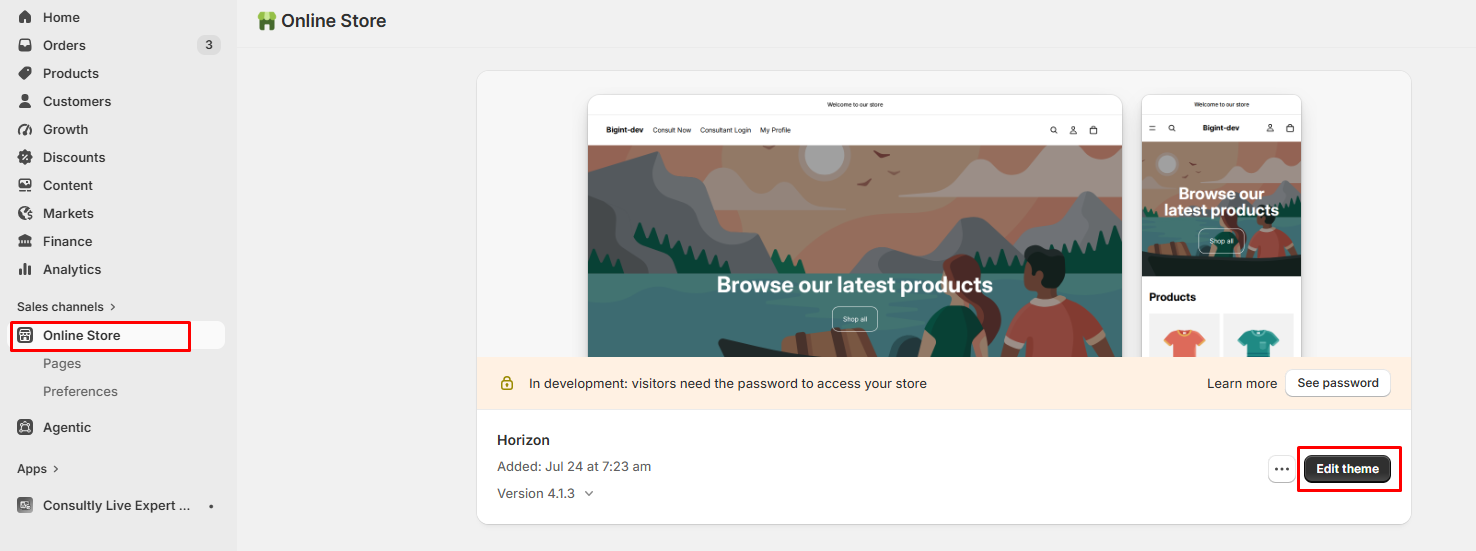
- Go to Online Store → Themes.
- Click Customize on your active theme.
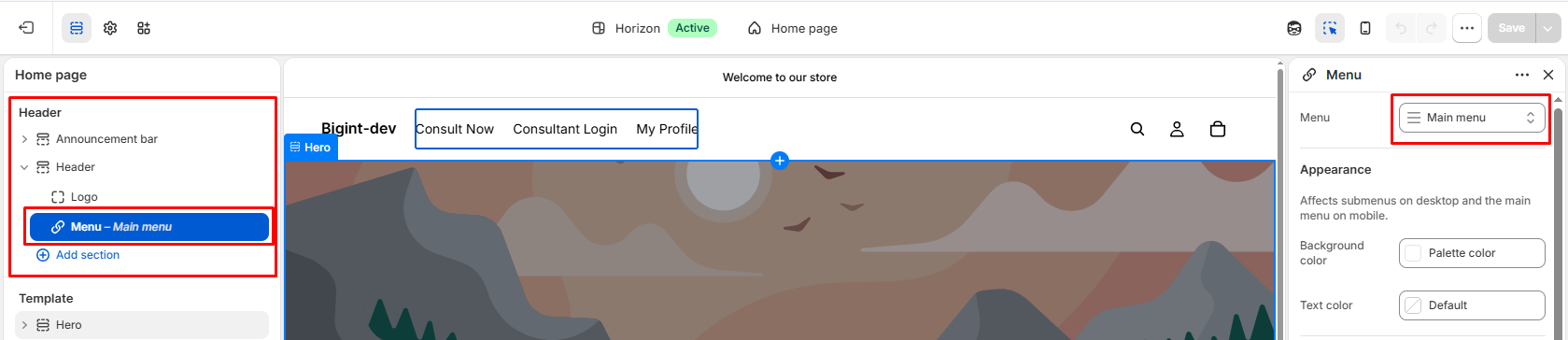
- Open the Header or Footer section.
- Select the menu that contains your newly created navigation links.
- Click Save.
Step 5: Verify the Navigation
Open your storefront and test each menu item to ensure it opens the correct page.
Menu Name | Destination
------------------------------------------------------------------------------------------------
Consult Now | https://bigint-dev.myshopify.com/apps/consultly
------------------------------------------------------------------------------------------------
Consultant Login | https://bigint-dev.myshopify.com/apps/consultly/login
------------------------------------------------------------------------------------------------
My Profile | https://bigint-dev.myshopify.com/apps/consultly/profile
------------------------------------------------------------------------------------------------
Tips:
- You can add these links to either the Header or Footer menu.
- Rename the menu items to match your store's branding if desired.
- After publishing, always test each link from the storefront to ensure it opens the correct page.
- Replace bigint-dev.myshopify.com with your own Shopify store domain if you're setting this up on a different store.