
BlockX Country Blocker allows you to block visitors based on the browser they are using to access your store. This can help you restrict access from specific browsers or unknown browser types.
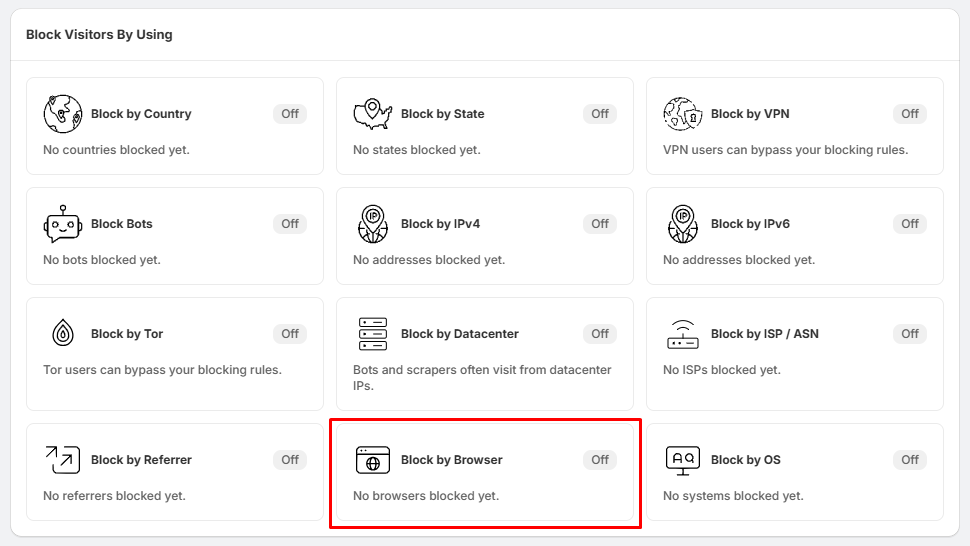
Step 1: Open Block by Browser
- Go to Block Settings.
- Locate the Block by Browser section.
- Click Block by Browser.
Step 2: Select Browsers to Block
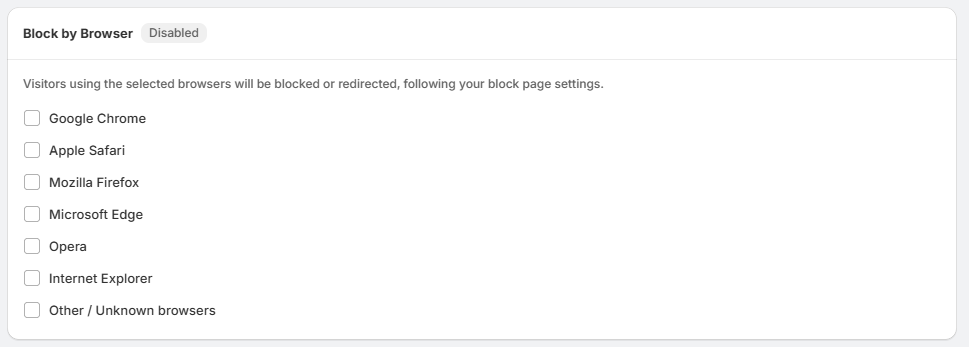
On the Block by Browser page, you will see a list of available browsers:
- Google Chrome
- Apple Safari
- Mozilla Firefox
- Microsoft Edge
- Opera
- Internet Explorer
- Other / Unknown browsers
Select the checkbox next to each browser you want to block.
Step 3: Block Selected Browser Visitors
- Once a browser is selected, visitors using that browser will be blocked or redirected according to your configured block-page settings.
- You can select multiple browsers if needed.
Tips:
- Use Other / Unknown browsers if you also want to restrict visitors whose browser cannot be identified or does not match the supported browser types.