
BlockX: Checkout Fraud Filter allows you to block or allow-list shipping and billing countries on your store. This feature runs inside your Shopify checkout to prevent purchases from regions where you do not ship or where you experience high fraud rates.
Step 1: Open Block by Country
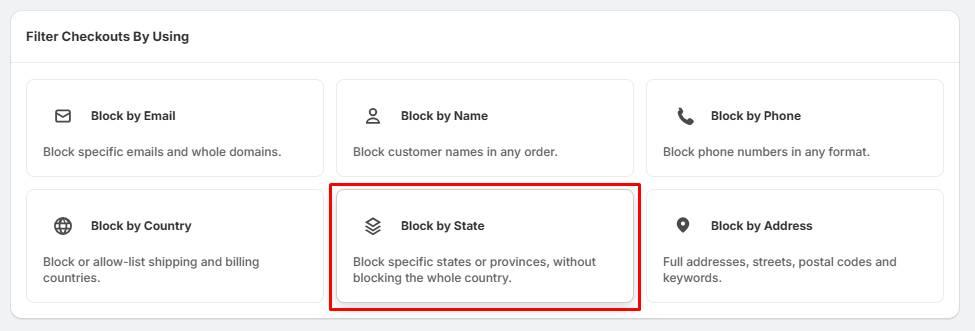
- Locate the Filter Checkouts By Using dashboard.
- Click the Block by Country card.
Step 2: Manage Your Blocked Countries
To block countries:
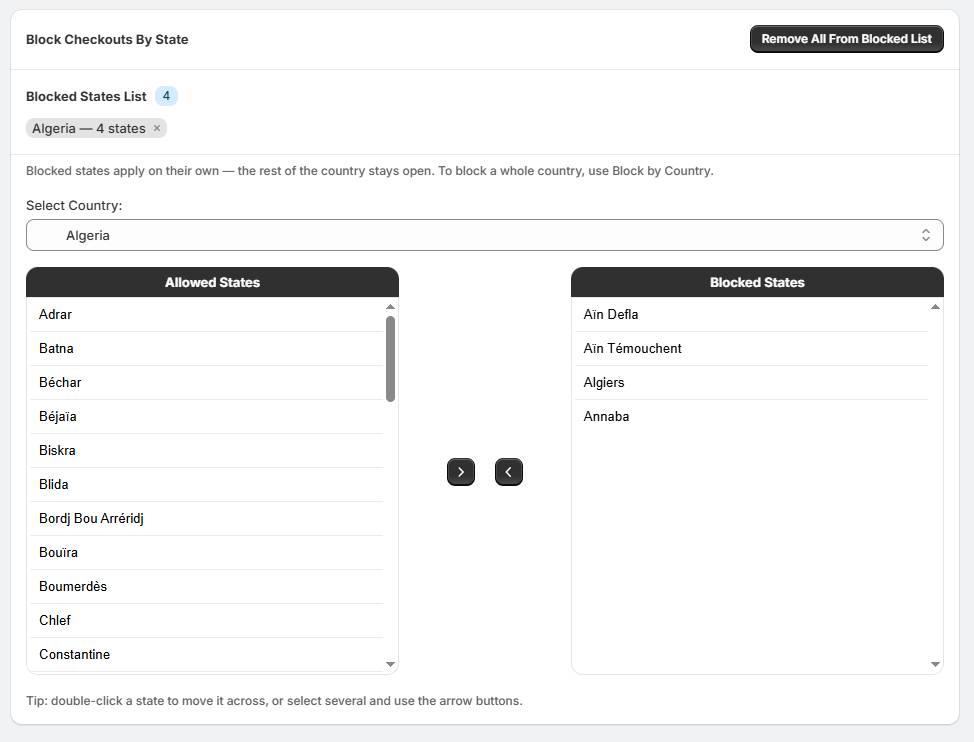
- Browse the Available Countries column on the left.
- Double-click a country to move it across, or select several countries and click the Right Arrow (>) button.
- The moved countries will now appear in the Blocked Countries column on the right.
To unblock countries:
- Select the country from the Blocked Countries column.
- Double-click it, or click the Left Arrow (<) button to return it to the available list.
- Alternatively, click Remove All From Blocked List at the top right to completely clear your blocklist.
Step 3: Fraud Filter Takes Effect
- Check your queue at the top of the screen to save your updated lists.
- Once active, the system automatically checks the customer's shipping and billing addresses during checkout against your country settings.
- Targeted buyers matching blocked regions will be prevented from completing their purchases.