
BlockX: Checkout Fraud Filter allows you to block full delivery locations, specific streets, postal codes, or keywords from purchasing from your store. This feature runs inside your Shopify checkout to prevent problematic buyers or fraudulent freight forwarding services from completing orders.
Step 1: Open Block by Address
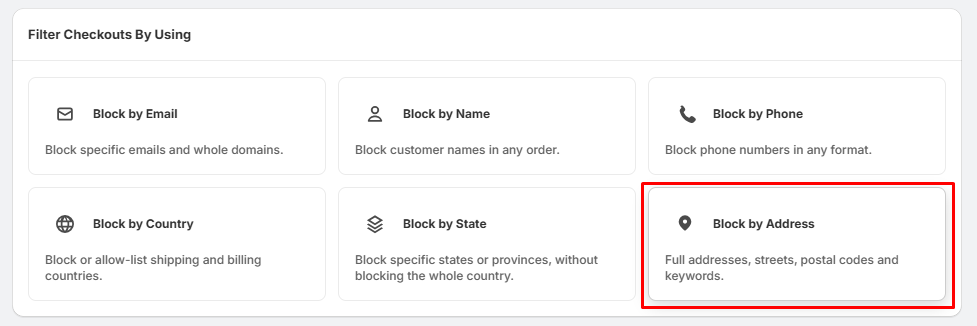
- Locate the Filter Checkouts By Using dashboard.
- Click the Block by Address card.
Step 2: Choose Your Matching Level
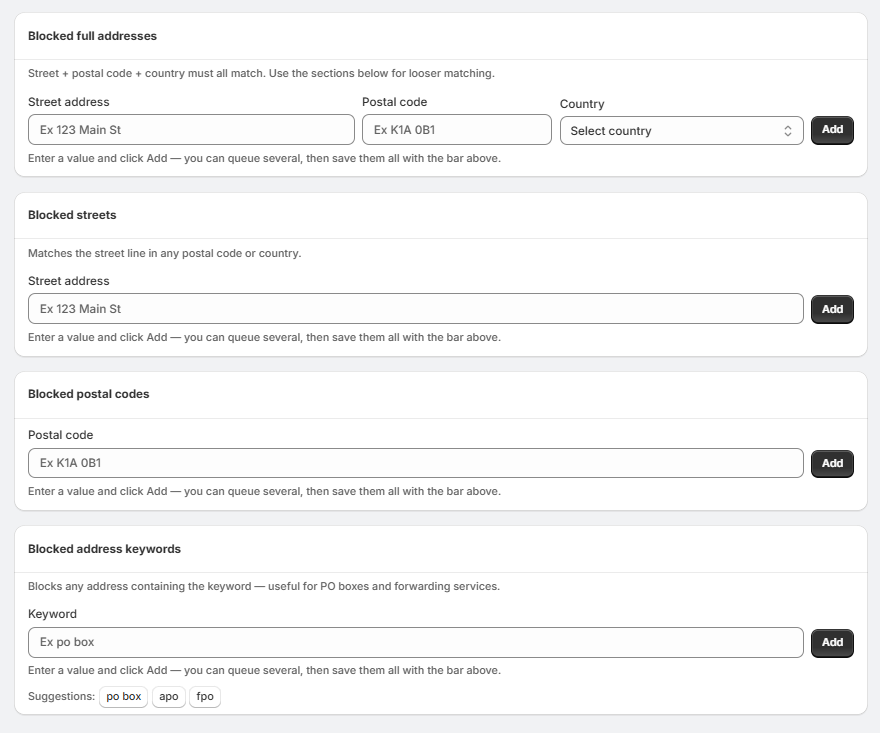
1. To block an exact delivery location (Strict Matching):
- Scroll to the Blocked full addresses section.
- Enter the specific Street address, Postal code, and Country.
- Click Add.
2. To block a specific street anywhere:
- Scroll to the Blocked streets section.
- Enter the target Street address (e.g., 123 Main St).
- Click Add.
3. To block entire regions by mail delivery code:
- Scroll to the Blocked postal codes section.
- Enter the target Postal code.
- Click Add.
4. To block addresses by specific terms (Loose Matching):
- Scroll to the Blocked address keywords section.
- Enter a target term into the Keyword input box.
- Click Add.
Step 3: Fraud Filter Takes Effect
- Check your queue at the top of the screen to save your newly updated address restrictions.
- Once active, the system automatically runs a compliance check on customer shipping fields at checkout.
- Any transactions matching your configured address parameters will be stopped before completion.