
BlockX Country Blocker allows you to customize the message shown to customers when their order is blocked at checkout. You can either show a generic message or display the specific reason why the customer was blocked.
Step 1: Open Checkout Filter
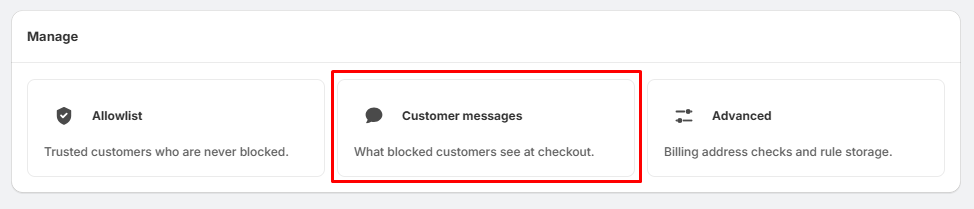
- Go to Checkout Filter from the left-hand menu.
- Under Manage, click Customer messages.
Step 2: Choose the Message Type
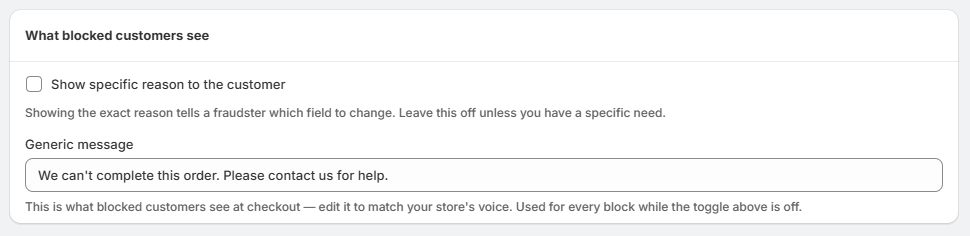
Show specific reason to the customer
- Enabled: The customer will see the exact reason their checkout was blocked.
- Disabled: The customer will see a generic message instead.
- We recommend keeping this option disabled unless you specifically want customers to know the reason for the block.
Step 3: Customize the Generic Message
- When the specific-reason option is disabled, customers will see the Generic message.
- For example: We can't complete this order. Please contact us for help.
- You can edit this message to match your store's tone and requirements.
Step 4: Save Your Changes
- After entering your preferred message, save the settings.
- The customized message will then be displayed to customers whenever their checkout is blocked.